
Mobile app development
Build a new app for iOS and Android, or improve the performance and usability of an existing one.
- Native or cross-platform build
- Device testing
JignaAI designs and develops iOS and Android apps. Bring us an idea, a prototype, or an existing product and we’ll help you define what to build next.
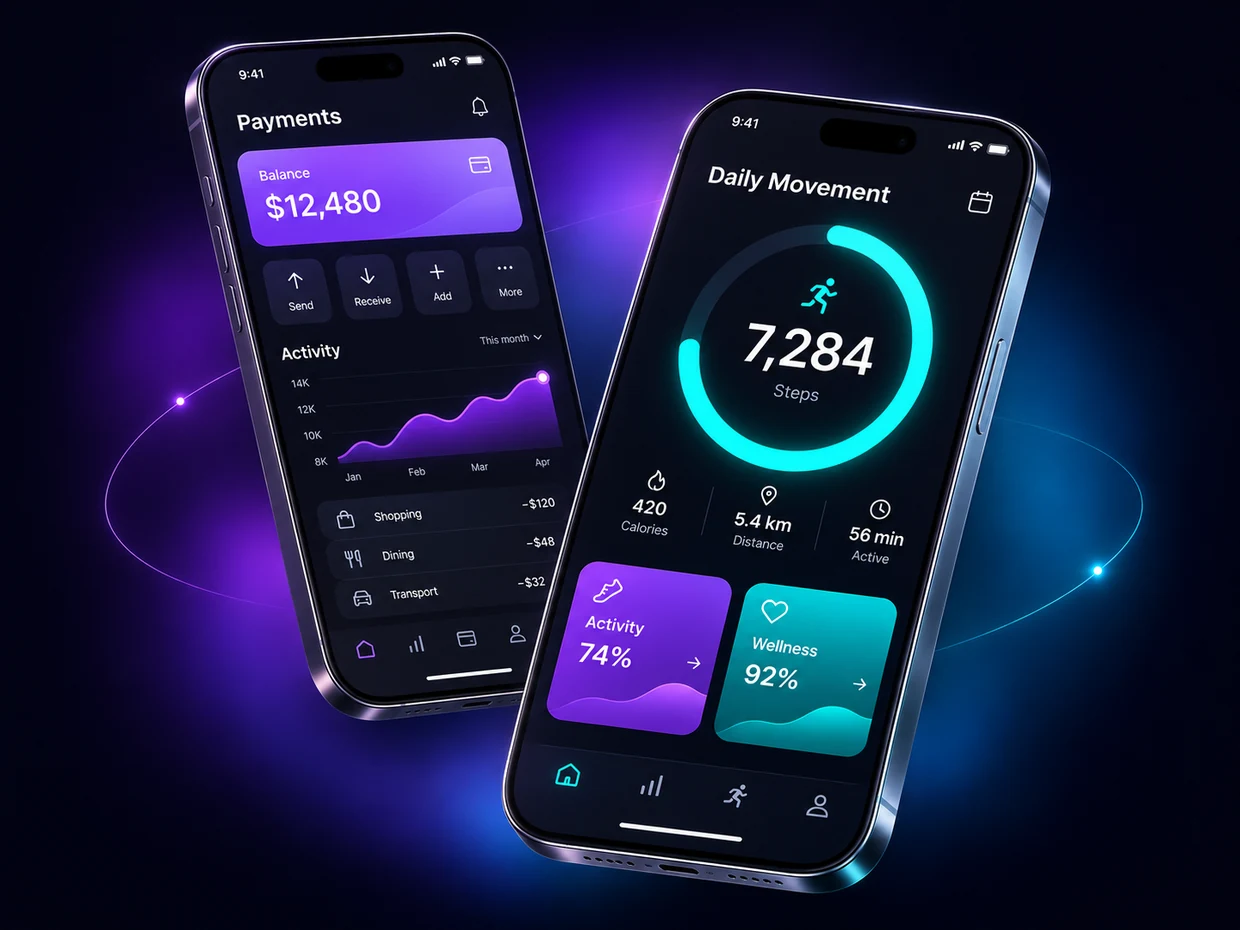 Product design lab
DESIGN CONCEPTS
01 / WHAT WE DO
Bring us in for one stage, or work with us from defining the product through its first release.
Build a new app for iOS and Android, or improve the performance and usability of an existing one.
Decide which problems the first release should solve, then test the key journeys in a clickable prototype.
Connect the app to the systems it needs for sign-in, payments, notifications, and day-to-day operations.
Prepare a beta build, test core journeys on real devices, and get the store listings ready for submission.
02 / INDUSTRIES
A wallet needs clear transactions. A field team needs to keep working offline. Start with what your users have to get done.
Help users track balances, understand payment status, and find the transactions they need.
Wallets · Payment history · Spending views
Make it easy to earn points, scan a code, and redeem a reward in a few taps.
Rewards · QR scanning · Order tracking
Give teams a mobile place to update jobs, capture photos, and sync changes when they’re back online.
Work orders · Offline sync · Role-based views
Help users set a goal, see how they’re progressing, and decide what to do next.
Activity tracking · Goals · Reminders
03 / DESIGN LAB
Switch between three original prototypes and try a key interaction from each.
FINTECH CONCEPT
A wallet that brings balances and recent payments into one view, so users can see where their money went.
FITNESS CONCEPT
A movement tracker that makes a daily goal easy to read and shows how small efforts add up over the week.
AI ASSISTANT CONCEPT
A conversational interface that turns a short request into a plan the user can review and act on.
Illustrative prototypes with sample data.
04 / TECHNOLOGY
The platform choice depends on the experience, device features, and the team that will maintain the app.
05 / DELIVERY
Each stage gives you something concrete to review before the next one begins.
Agree on the audience, main problem, and essential launch features.
Review a scoped briefWalk through the main screens and check that the flow makes sense before engineering starts.
Try a clickable prototypeTest working features on devices and report issues while the build is still in progress.
Install a test buildReview the store listing, release checklist, and handover materials for your team.
Review the release package06 / PROJECT QUESTIONS
Decisions that shape the scope of your app.
Cross-platform development can share code across iOS and Android. Native development can make sense when the app depends heavily on platform-specific APIs or needs a highly tailored experience. The right choice depends on the features and devices you need.
Yes. Start with one audience and the smallest set of features that solves their main problem. A prototype can help test that flow before committing to development.
Yes. Start by reviewing the current codebase, release process, and user issues to decide whether to improve the existing build or replace parts of it.
Scope depends on the number of platforms, key screens, integrations, and any existing designs or code. An initial brief helps separate launch requirements from features that can follow later.
Bring the design files and any existing prototype. We can review platform conventions, accessibility, and missing states before estimating the build.
Plan to publish from your organization’s Apple and Google developer accounts. That keeps future releases, store listings, and account access with your team.
Yes. A clickable prototype helps you test the core journey with users and decide what to keep, change, or defer before investing in a production build.
YOUR NEXT APP
Choose a platform, outline the features you need, and take away a project brief you can share.